Connecting to TokenPony
Configuring the Chat Model
Register and log in to TokenPony.
Navigate to the TokenPony API Keys page and create a new API Key. Save it for later use.
Visit the TokenPony Models page to select your desired model. Note down the model name for later use.
Open the AstrBot WebUI, click Service Providers in the left sidebar -> Add Provider -> select TokenPony (requires version >= 4.3.3)
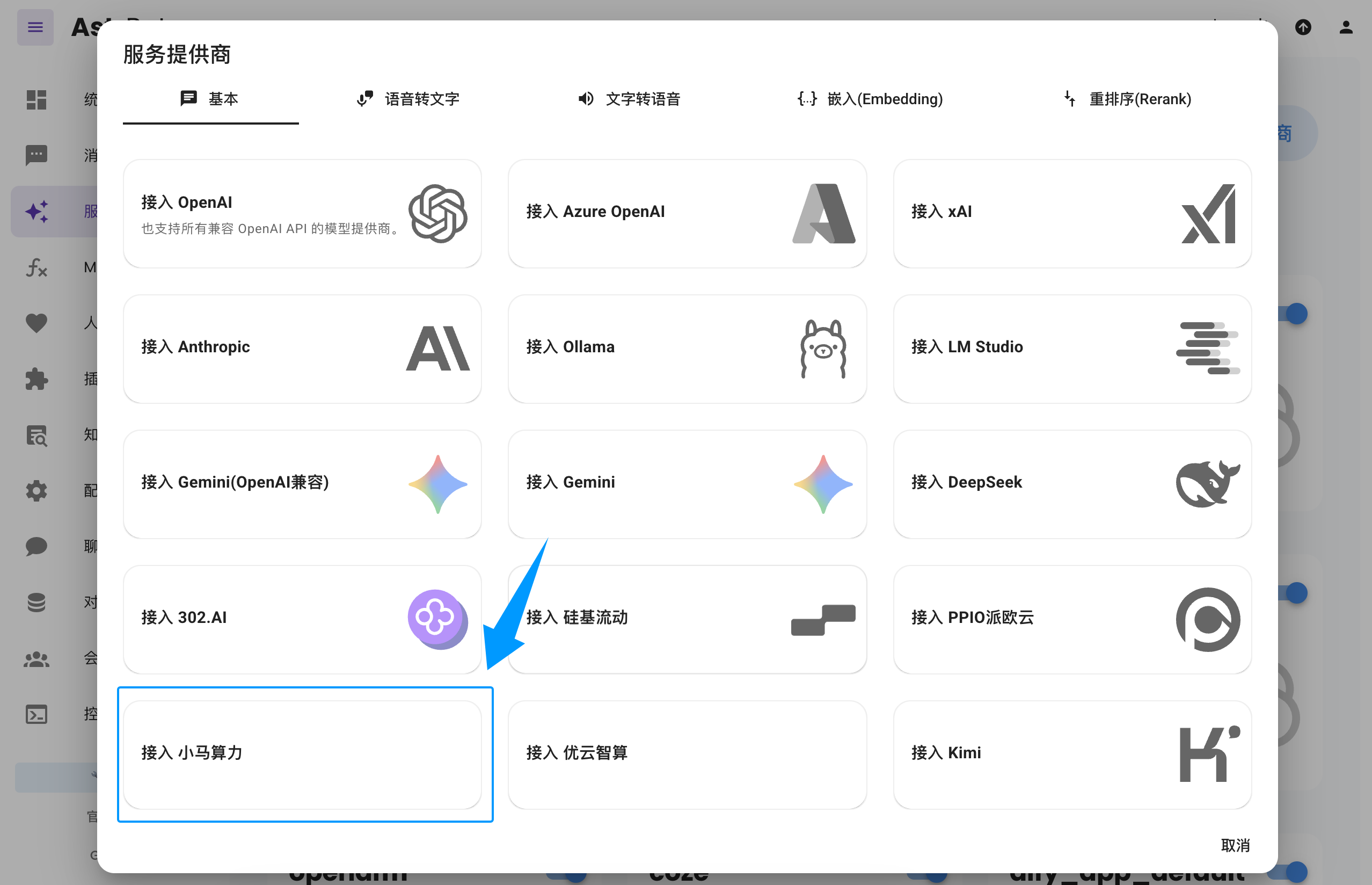
If you don't see the
TokenPonyoption, you can also clickConnect to OpenAIas shown in the image and change theAPI Base URLtohttps://api.tokenpony.cn/v1.
Paste the API Key and Model Name you obtained earlier, then click Save to complete the setup. You can click the Refresh button under Service Provider Availability to verify whether the configuration is successful.
Applying the Chat Model
In the AstrBot WebUI, click Configuration in the left sidebar, find Default Chat Model under AI Configuration, select the tokenpony (TokenPony) provider you just created, and click Save.
