
Deploy AstrBot using Windows One-Click Installer
The installer is a script written in PowerShell, compact in size (<20KB). It requires PowerShell to be installed on your computer, which is usually built into Windows 10 and later versions.
WARNING
Python 3.10 or higher must be installed on your computer, and environment variables must be configured.
TIP
If you cannot deploy using this method, please refer to the other two deployment methods: Docker Deployment and Manual Deployment.
Download the Installer
Go to https://github.com/AstrBotDevs/AstrBotLauncher/releases/latest
Download Source code (zip) and extract it to your computer.
Run the Installer
The video may differ from the instructions here, please follow this guide!!! If deployment fails, please refer to the other two deployment methods: Docker Deployment and Manual Deployment.
After extracting, open the folder.
Type PowerShell in the address bar and press Enter to open it:
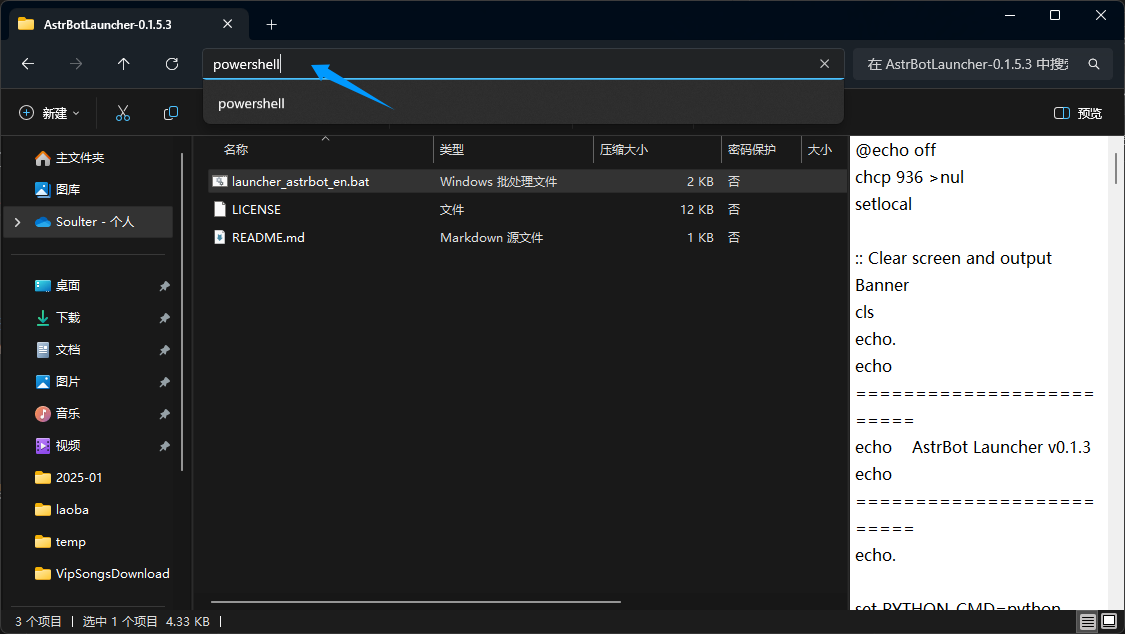
Drag the launcher_astrbot_en.bat batch file into the PowerShell window and press Enter to run it.
WARNING
This script is safe. If Windows displays
Windows protected your PC, clickMore infoand then clickRun anyway.By default, the script uses the
pythoncommand to execute code. If you want to specify a Python interpreter path or command, please modify thelauncher_astrbot_en.batfile. Find the lineset PYTHON_CMD=pythonand changepythonto your Python interpreter path or command.
If no Python environment is detected, the script will display a message and exit.
The script will automatically check if there is an AstrBot folder in the directory. If not, it will automatically download the latest AstrBot source code from GitHub. Once downloaded, it will automatically install AstrBot's dependencies and run it.
🎉 Mission Accomplished!
If everything goes smoothly, you will see the logs printed by AstrBot.
If there are no errors, you will see a log entry similar to 🌈 Management panel started, accessible at followed by several links. Open one of the links to access the AstrBot management panel.
TIP
The default username and password are astrbot and astrbot.
Encountering 404 error when opening the management panel: Download dist.zip from the release page, extract it, and move the contents to AstrBot/data. If it still doesn't work, please restart your computer (based on community feedback).
Next, you need to deploy any messaging platform to be able to use AstrBot on that platform.
TIP
If you cannot deploy using this method, please refer to the other two deployment methods: Docker Deployment and Manual Deployment.
Error: Python is not installed
If the script says "Python is not installed" even though you have installed Python and restarted your computer, it means the environment variables are incorrect. There are two ways to solve this:
Method 1:
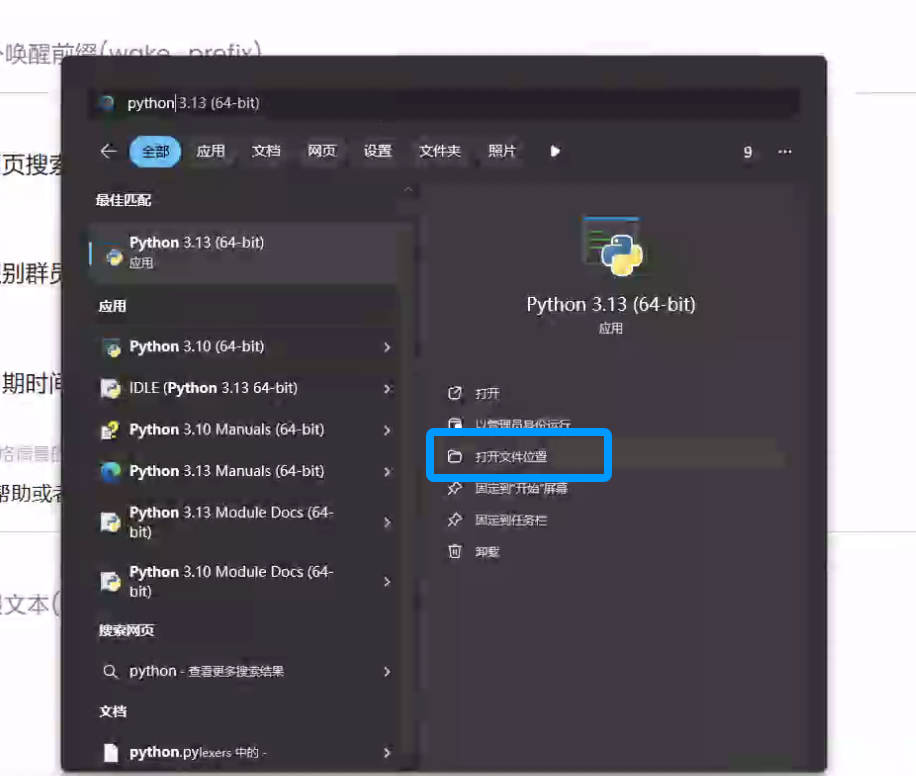
Search for Python in Windows, and open its file location:
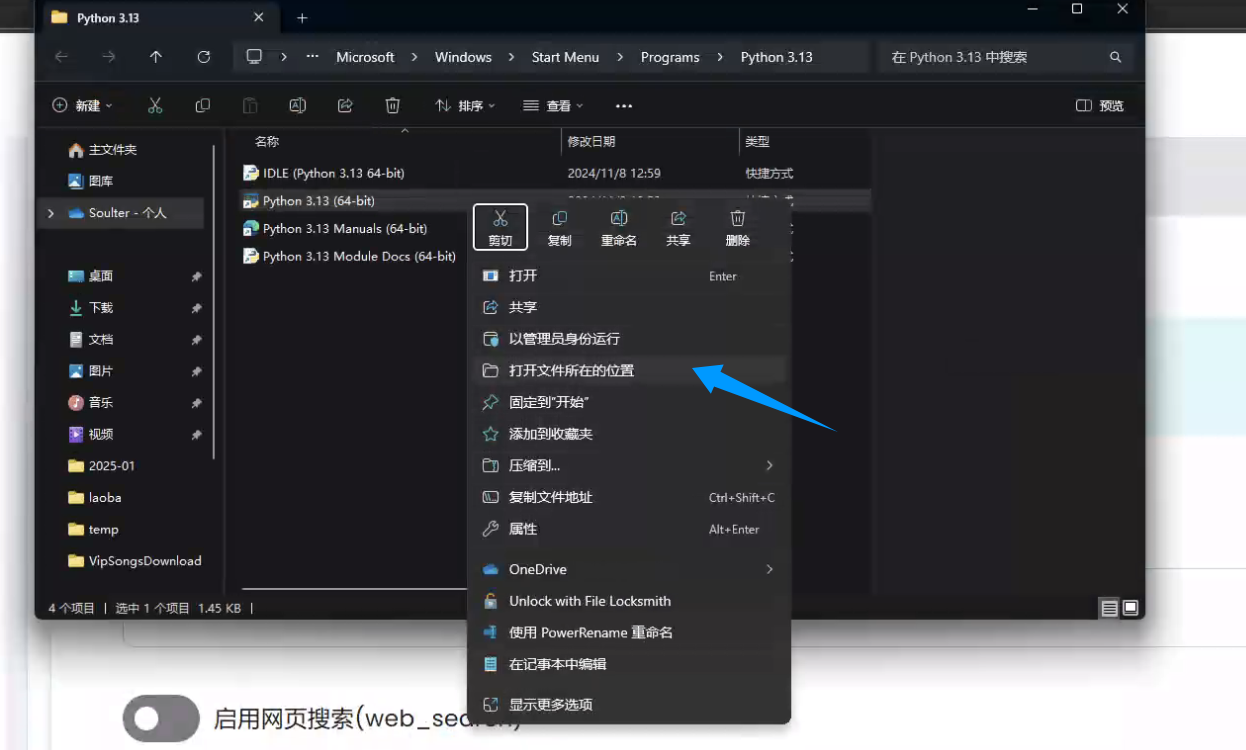
Right-click the shortcut below and open its file location:
Copy the file path:
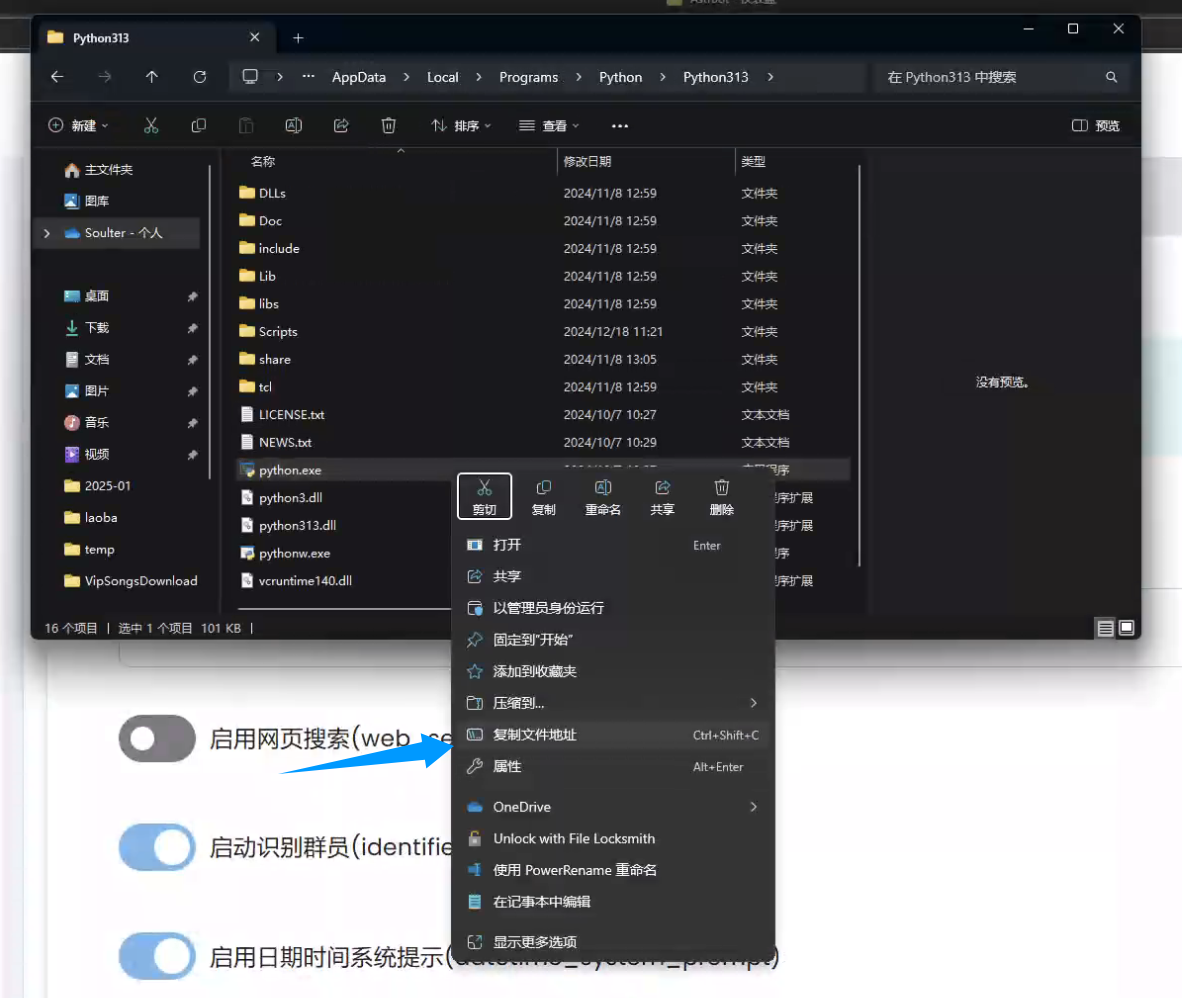
Go back to the launcher_astrbot_en.bat file, right-click and select Edit in Notepad. Find the line set PYTHON_CMD=python and change python to your Python interpreter path or command. Do not delete the double quotes around the path if you use them.
Method 2:
Reinstall Python, and make sure to check Add Python to PATH during installation, then restart your computer.